
Text Case Converter
Uppercase, Lowercase, Sentence Case, Capitalize & More
About Text Case Converter Tool
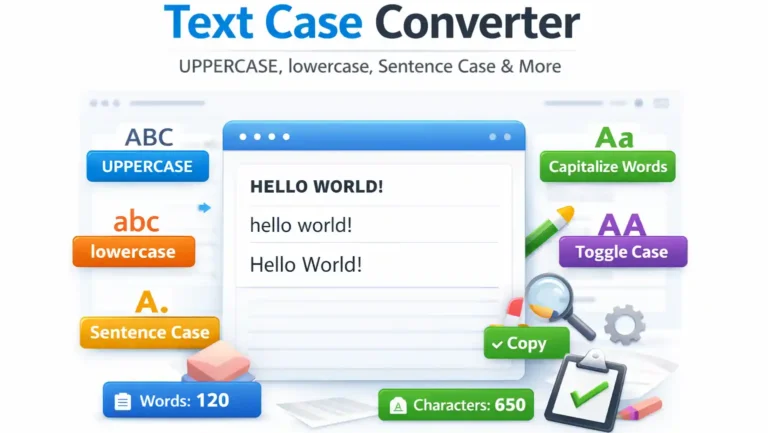
The Text Case Converter is a powerful and easy-to-use online tool that helps users change text into different letter cases instantly. Whether you want to convert text to UPPERCASE, lowercase, Sentence Case, Capitalize Each Word, or Toggle Case, this tool provides fast and accurate results with a single click.
On Eexamresult, the Text Case Converter is specially designed for students, exam aspirants, bloggers, writers, developers, and general users who frequently work with text formatting for academic, professional, or digital purposes.
What is a Text Case Converter?
A Text Case Converter is an online utility tool that allows users to transform text into various letter case formats without manual editing. Instead of rewriting the text again and again, users can instantly convert the text into the required format.
The Text Case Converter on Eexamresult supports multiple text transformations such as:
- Uppercase
- Lowercase
- Sentence Case
- Capitalize Words
- Toggle Case
This makes it a complete solution for text formatting needs.
What is Text Case Formatting?
Text case formatting refers to changing the style of letters in a given text. It determines whether letters appear in capital form, small form, or a mixed pattern.
Example:
- UPPERCASE:
HELLO WORLD - lowercase:
hello world - Sentence Case:
Hello world - Capitalize Words:
Hello World
Manual text formatting can be time-consuming and error-prone. That’s why using an online Text Case Converter is the most efficient option.
Types of Text Case Conversions Supported
1️⃣ Uppercase Converter
Converts all letters into capital letters.
Useful for headings, titles, notices, and official documents.
2️⃣ Lowercase Converter
Converts all letters into small letters.
Helpful for normal text formatting, coding, and content editing.
3️⃣ Sentence Case Converter
Capitalizes the first letter of each sentence while keeping the rest lowercase.
Ideal for essays, answers, and professional writing.
4️⃣ Capitalize Each Word
Capitalizes the first letter of every word.
Commonly used for titles, names, and headings.
5️⃣ Toggle Case Converter
Switches uppercase letters to lowercase and lowercase letters to uppercase.
Useful for correcting wrongly typed text.
Key Features of Text Case Converter
The Text Case Converter on Eexamresult is built as a pro-level text utility tool with the following features:
- Instant text conversion
- Multiple case options in one tool
- Word and character counter
- Clean and distraction-free design
- Mobile, tablet, and desktop friendly
- No login or registration required
- Works on all modern browsers
- Completely free to use
This tool is suitable for both beginners and professionals.
How to Use Text Case Converter Online
Using the Text Case Converter on Eexamresult is very simple.
Step-by-Step Guide:
- Paste or type your text in the input box
- Choose the required case option
- Instantly see the converted text
- Copy the result with one click
No manual editing or rewriting is required.
Who Can Use Text Case Converter?
The Text Case Converter is useful for a wide range of users:
Students
- Writing exams and assignments
- Formatting answers and notes
- Improving writing clarity
Bloggers & Content Writers
- Formatting titles and headings
- Editing articles quickly
- SEO-friendly content writing
Developers & Designers
- Code formatting
- Variable naming adjustments
Office & Professional Users
- Preparing documents
- Editing emails and reports
General Users
- Social media posts
- Personal writing tasks
The tool works for everyone who deals with text.
Benefits of Using Text Case Converter
1️⃣ Saves Time
No need to rewrite or manually edit text.
2️⃣ Reduces Errors
Avoids mistakes in capitalization and formatting.
3️⃣ Improves Productivity
Instant conversion helps users work faster.
4️⃣ Beginner-Friendly
No technical knowledge required.
5️⃣ Multi-Purpose Tool
Useful for education, work, and daily tasks.
Why Use Text Case Converter on Eexamresult?
There are many text tools available online, but Eexamresult focuses on student-friendly and exam-oriented utilities.
Advantages of Eexamresult:
- Simple and clean user interface
- Fast and accurate tools
- No unnecessary ads inside tools
- Trusted platform for exam utilities
- One-stop solution for multiple online tools
All tools are designed keeping user intent and ease of use in mind.
Related Tools for Students
Along with this tool, Eexamresult also provides:
- Age Calculator – Calculate Age by Date of Birth
- BMI Calculator – Body Mass Index Calculator
- CGPA to Percentage Calculator (VTU, SPPU, CBSE, MU)
- Date Difference Calculator (Days, Months, Years) – Free Tool
- GST Calculator – Calculate GST Online in India
- Loan EMI Calculator – Calculate EMI Online
- Marks Percentage Calculator – Calculate Exam Percentage
- Time & Date Calculator – Date Difference Calculator Online
Powered by Eexamresult.com
Helping students with free, accurate, and exam-friendly online tools.
Conclusion
The Text Case Converter on Eexamresult is a fast, reliable, and easy-to-use tool for converting text into different letter cases. It eliminates manual effort, reduces errors, and improves productivity for students, writers, and professionals. Whether you need uppercase text for headings or sentence case for writing, this tool provides instant results.
Use the Text Case Converter by Eexamresult today and make text formatting simple, quick, and error-free.
FAQs – Text Case Converter
What is a Text Case Converter?
A Text Case Converter is a tool that changes text into different letter case formats instantly.
Is this Text Case Converter free?
Yes, it is completely free and unlimited on Eexamresult.com.
Can I use it on mobile devices?
Yes, the tool is fully responsive and works on all devices.
Does it count words and characters?
Yes, it shows both word count and character count.
Is manual editing required?
No, just paste the text and click the required option.