
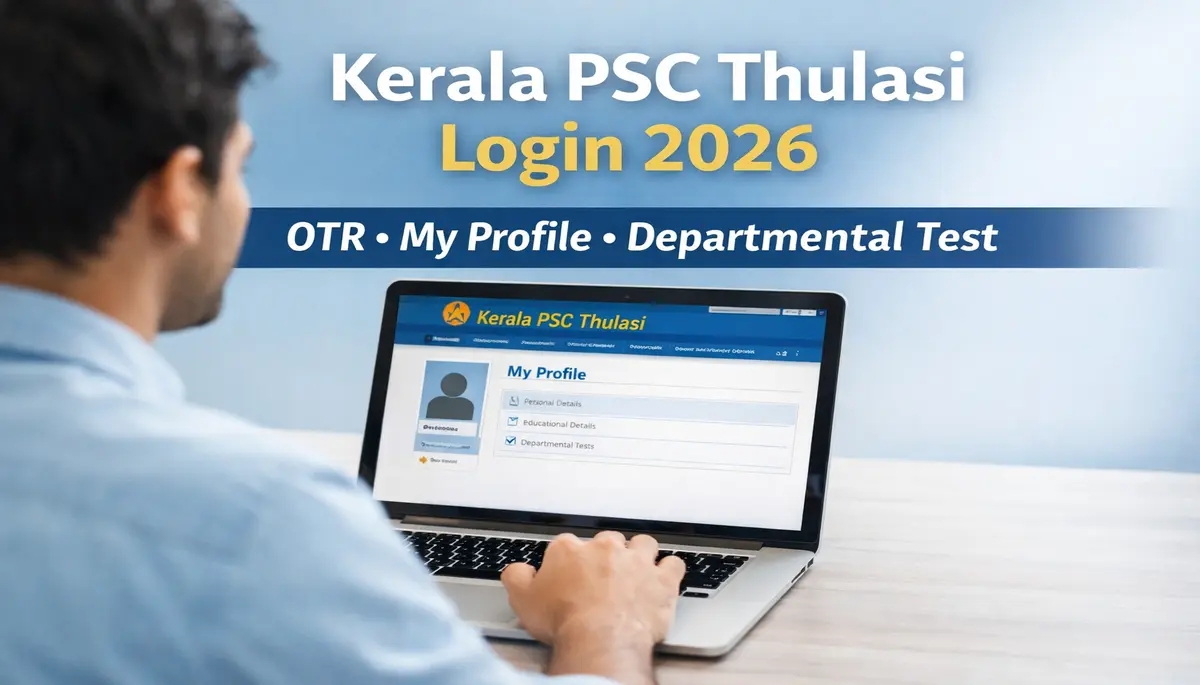
Kerala PSC Thulasi Login is the official online portal of the Kerala Public Service Commission, created to manage candidate registration, applications, and exam-related services in one place. Through this portal, applicants can complete the One Time Registration (OTR) process and apply for various Kerala PSC recruitments without repeating the same formalities again and again.
After logging in, the “My Profile” page becomes the most important section for every candidate. This page stores personal information, educational qualifications, uploaded photo and signature, and other essential details. A complete and updated profile is mandatory before applying for any Kerala PSC notification, as all applications are processed based on the information available here.
For Departmental Test applicants, the My Profile page plays a critical role. Department-related details and eligibility information must be accurate, otherwise the application for departmental examinations may be rejected. Keeping the profile updated ensures smooth application and hassle-free participation in these tests.
All Kerala PSC Thulasi Login and My Profile services are available only on the official Kerala PSC website (keralapsc.gov.in). Candidates are strongly advised to use the official portal to avoid errors, misinformation, or fraudulent links.
Kerala PSC Thulasi Login
Kerala PSC Thulasi Login is the official online login system provided by the Kerala Public Service Commission for candidates who wish to apply for government jobs and examinations in Kerala. Through this login, users can access their registered account after completing the One Time Registration (OTR) and manage all exam-related activities from a single dashboard.
Kerala PSC Thulasi Login
| Particulars | Details |
|---|---|
| Organization | Kerala Public Service Commission (KPSC) |
| State | Kerala |
| Registration Status | Active |
| Registration Mode | Online |
| Services Offered | One Time Registration, Online Application, Admit Card Download, Result, Notifications |
| Registration Fee | No Fee |
| Registration Page | https://thulasi.psc.kerala.gov.in/thulasi/ |
| Official Website | https://www.kerala.gov.in |
The Kerala PSC Thulasi login is used by a wide range of applicants, including fresh candidates applying for Kerala PSC notifications, existing users who regularly apply for different posts, and government employees appearing for Departmental Tests. It is also useful for candidates who want to check notifications, update profile details, download admit cards, and track application status.
In 2026, the role of Kerala PSC Thulasi login becomes even more important as all recruitment processes, departmental tests, and online applications are handled digitally. Candidates must use the Thulasi login to apply for new vacancies, keep their My Profile updated, and stay informed about the latest Kerala PSC exams and announcements.
Also Read –SSC GD Constable Final Result 2026 OUT – Cut Off Marks, Merit List PDF Download
Kerala PSC Thulasi Login My Profile – Full Details
The Kerala PSC Thulasi Login My Profile page is a dedicated section within the Thulasi portal where all important candidate information is stored and managed. This page is automatically created after completing One Time Registration (OTR) and becomes the base for every Kerala PSC application.
After completing Kerala PSC Thulasi login, candidates can access the My Profile page to view, verify, and update their details. All Kerala PSC job applications, departmental test forms, and exam-related processes are linked directly to this profile. Without a complete and accurate My Profile, candidates may face issues while applying for notifications or may even become ineligible.
The personal and academic details entered in the My Profile page play a crucial role in the selection process. Personal information such as name, date of birth, category, and contact details must exactly match official documents, while academic details like qualifications, marks, and experience determine eligibility for specific posts and departmental tests. Keeping the Kerala PSC Thulasi login My Profile updated ensures smooth application submission and avoids rejection due to incorrect information.
How to Access Kerala PSC Thulasi Login My Profile Page
Accessing the Kerala PSC Thulasi Login My Profile Page is a simple process, but candidates must ensure they use the correct login credentials created during One Time Registration (OTR). Once logged in, the My Profile page allows users to manage all personal, academic, and exam-related details from one place.
Step-by-Step Guide
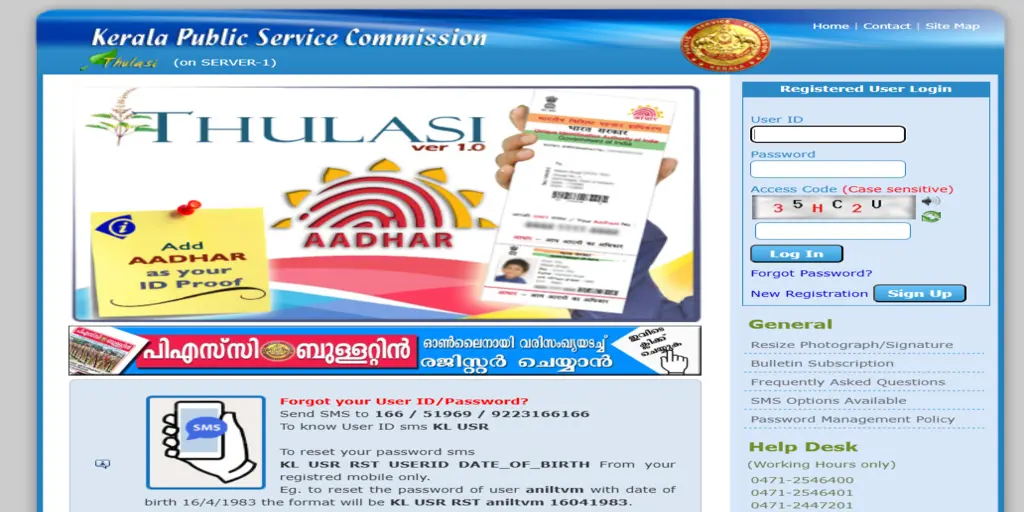
- Open the Kerala PSC Thulasi Login 2026
Visit the official Kerala PSC website and click on the Thulasi Login option to open the login page. - Enter User ID & Password
On the login screen, enter your registered User ID and Password carefully, then submit the details to access your account. - Open My Profile Page from Dashboard
After successful login, the dashboard will appear. From here, click on the “My Profile” option to open the Kerala PSC Thulasi Login My Profile Page and view or update your details.
Kerala PSC Thulasi Login My Profile Page – Sections Explained
The Kerala PSC Thulasi Login My Profile Page is divided into multiple sections, each designed to store specific information required for Kerala PSC examinations and departmental tests. Understanding these sections helps candidates keep their profile accurate and application-ready.
Personal Details Section
This section contains basic information such as candidate’s name, date of birth, gender, category, address, mobile number, and email ID. These details must match official records, as they are used for identity verification during the recruitment process.
Educational Qualification
Under this section, candidates need to enter their academic details, including SSLC, higher secondary, graduation, or any other required qualifications. Eligibility for various Kerala PSC posts and departmental tests is checked based on the information provided here.
Experience Details
The experience section is especially important for posts that require prior work experience or for departmental test applicants. Candidates must clearly mention service details, department name, and duration of experience wherever applicable.
Photo & Signature Upload
Candidates are required to upload a recent passport-size photograph and signature in the prescribed format. A valid photo and signature are mandatory, as they appear on admit cards and are used during verification.
Profile Update Option
The Kerala PSC Thulasi login My Profile page also provides options to update certain editable details. Candidates should regularly review their profile and make allowed corrections well before applying for any notification to avoid application rejection.
Kerala PSC Thulasi Login My Profile Page for Departmental Test
The Kerala PSC Thulasi Login My Profile Page for Departmental Test is especially important for government employees who appear for Kerala PSC–conducted departmental examinations. A departmental test is an exam conducted for serving employees to assess their eligibility for promotions, confirmations, or service-related benefits within their respective departments.
For departmental test applications, the My Profile page plays a key role, as all eligibility details are verified directly from the profile. Information such as department name, service details, designation, and educational qualifications must be correctly entered in the Kerala PSC Thulasi login My Profile page. Any mismatch or missing detail can lead to rejection of the departmental test application.
Only eligible employees are allowed to apply for departmental tests. Candidates should carefully check that their service and department-related information is accurate and up to date before proceeding. It is strongly advised to verify and update the profile before submitting the test application, as once the application is submitted, corrections are usually not allowed. Keeping the profile verified ensures a smooth application process and avoids unnecessary issues during the departmental test selection.
How to Update Details in Kerala PSC Thulasi Login My Profile
Keeping your profile updated on the Kerala PSC Thulasi Login My Profile page is essential to avoid application rejection and eligibility issues. However, not all details can be edited, so candidates should understand which fields are editable and how to make corrections properly.
Editable Fields in My Profile
After logging in, candidates can usually update the following details from the My Profile page:
- Address and contact details
- Email ID and mobile number
- Educational qualifications (as per notification rules)
- Experience details, where applicable
- Photo and signature (within validity guidelines)
These updates ensure that applications reflect the most recent and accurate information.
Also Read – Bank of Maharashtra Apprentice Recruitment 2026 – Apply Online for 600 Posts
Non-Editable Fields Information
Some details cannot be edited once One Time Registration is completed. These generally include:
- Candidate name
- Date of birth
- Gender
- Basic category details
Such information is treated as permanent and is used for identity verification, so it must be entered carefully during initial registration.
Profile Correction Tips
- Always verify your details before applying for any Kerala PSC notification or departmental test.
- Update allowed fields well in advance, not on the last date of application.
- Ensure uploaded photo and signature meet the official size and format guidelines.
- Use only the official Kerala PSC Thulasi portal to make profile updates and avoid third-party links.
Common Issues in Kerala PSC Thulasi Login My Profile Page
Many candidates face temporary problems while using the Kerala PSC Thulasi Login My Profile Page. Most of these issues are common and can be resolved easily by following the correct steps.
Profile Page Not Opening
Sometimes, the My Profile page does not load after login due to heavy traffic on the website or browser-related issues. Candidates should try refreshing the page, clearing browser cache, or accessing the portal during non-peak hours. Using an updated browser also helps.
Incorrect Details Showing
If incorrect personal or academic details appear on the profile page, it is usually due to incomplete updates or old saved data. Candidates should recheck editable fields and update the allowed information. For non-editable details, contacting the Kerala PSC helpdesk is the only solution.
Departmental Test Option Missing
The departmental test option may not appear if the candidate is not marked as eligible or if service-related details are incomplete in the profile. Eligible employees should verify their department, designation, and service details in the Kerala PSC Thulasi login My Profile page before applying.
Technical Error Solutions
Technical errors such as login failure, session timeout, or page errors can occur due to server issues. In such cases, candidates should log out and try again after some time, ensure a stable internet connection, and avoid multiple login attempts. If the problem persists, reaching out to the official Kerala PSC support team is recommended.
Important Instructions for Kerala PSC Thulasi Login Users
Candidates using the Kerala PSC Thulasi Login must follow certain important instructions to ensure smooth application and exam processes. A small mistake in profile details or login handling can lead to rejection or delays.
Importance of Profile Accuracy
All Kerala PSC applications are processed based on the information available in the My Profile page. Personal details, educational qualifications, and experience must be accurate and match official documents. Incorrect or incomplete information can result in application rejection, even if the candidate is otherwise eligible.
Special Note for Departmental Test Candidates
Departmental test applicants must pay extra attention to their service and department-related details. Before applying, eligible employees should carefully verify their designation, department name, and experience entries in the Kerala PSC Thulasi login My Profile page. Any mismatch may lead to disqualification from the departmental examination.
Password & Security Tips
- Create a strong password that is difficult to guess.
- Do not share your User ID or password with anyone.
- Avoid logging in from public or shared computers.
- Always log out after completing your work on the Thulasi portal.
Following these instructions will help candidates use the Kerala PSC Thulasi login safely and apply for exams without any issues.
Kerala PSC Thulasi Login 2026 – Important Links
Candidates should always use official links while accessing the Kerala PSC Thulasi portal to avoid errors or fake websites. Below are the key links related to Kerala PSC Thulasi Login 2026 that every applicant should know.
- Official Website
The official website of the Kerala Public Service Commission provides all notifications, announcements, and updates related to Kerala PSC exams. - Kerala PSC Thulasi Login Link
This link is used by existing users to log in using their User ID and Password to access the dashboard, My Profile page, and exam-related services. - One Time Registration (OTR) Link
New candidates must use the registration link to complete One Time Registration before applying for any Kerala PSC recruitment or departmental test. - Kerala PSC Helpdesk / Support Link
In case of login issues, profile correction problems, or technical errors, candidates can use the official helpdesk link available on the Kerala PSC website for assistance.
Tip: Always double-check that you are on the official Kerala PSC website before entering login credentials to keep your account secure.
Conclusion
In summary, Kerala PSC Thulasi Login 2026 is the single official gateway for candidates to manage their One Time Registration, access the My Profile page, and apply for Kerala PSC recruitments and departmental tests. From profile updates to exam applications, every important process is handled through the Thulasi portal, making it essential for all aspirants and eligible employees.
Candidates are strongly encouraged to complete their One Time Registration (OTR) as early as possible and keep their profile details accurate and up to date. Early registration helps avoid last-minute technical issues and ensures smooth application submission whenever new notifications are released.
Finally, always remember to use only the official Kerala PSC website for login, registration, and profile management. Avoid third-party links or unofficial sources to protect your personal information and ensure error-free access to all Kerala PSC services.
FAQs – Kerala PSC Thulasi Login My Profile
What is Kerala PSC Thulasi?
Kerala PSC Thulasi is the official online portal of the Kerala Public Service Commission. It is used for One Time Registration (OTR), applying for Kerala PSC examinations, managing applications, and accessing the My Profile dashboard.
What is Kerala PSC Thulasi login My Profile?
Kerala PSC Thulasi login My Profile is a personal dashboard where a candidate’s personal details, educational qualifications, experience, photograph, and signature are stored. All Kerala PSC applications are processed based on the information available in this profile.
How can I open the Kerala PSC Thulasi My Profile page?
After logging in to the Thulasi portal with your User ID and password, go to the dashboard and click on the “My Profile” option to view or manage your profile details.
Is it necessary to update the profile for the departmental test?
Yes, updating the profile is mandatory for departmental test applications. Service details, department name, and eligibility information must be accurate; otherwise, the application may be rejected.
Can I edit my Kerala PSC Thulasi profile details?
Only certain details such as address, contact information, educational qualifications, experience, photograph, and signature can be edited. Core details like name and date of birth are usually non-editable after One Time Registration.
Can I use my mobile phone to log in to Kerala PSC Thulasi?
Yes, you can log in to Kerala PSC Thulasi using a mobile phone browser. For better performance, use an updated browser and a stable internet connection.
How can I create a new profile in Kerala PSC Thulasi?
To create a new profile, visit the official Kerala PSC website and complete the One Time Registration (OTR) by entering personal details, uploading the required photo and signature, and submitting the form.
How can I recover my Kerala PSC Thulasi User ID?
If you forget your User ID, use the “Forgot User ID” option on the Thulasi login page. You can recover it using your registered mobile number or email ID.
What documents are required for Kerala PSC Thulasi profile verification?
The commonly required documents include:
Aadhaar card or a valid identity proof
1. SSLC certificate for date of birth verification
2. Educational qualification certificates
3. Experience or service certificate (if applicable)
4. Recent passport-size photograph and signature.