
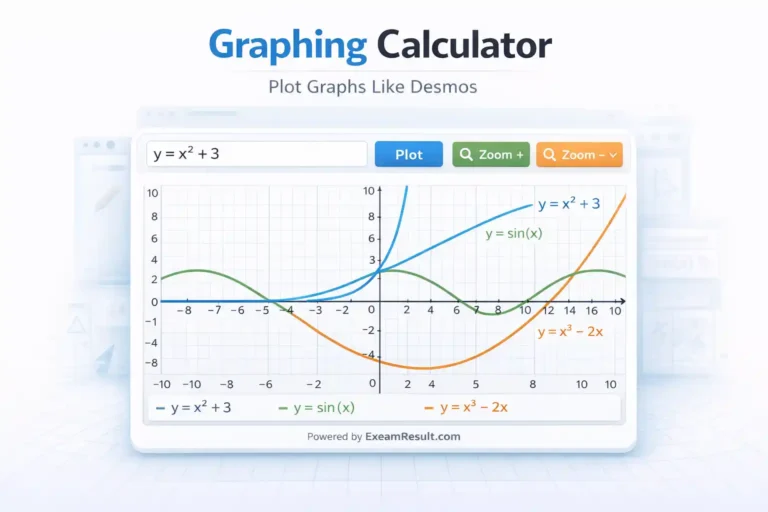
Graphing Calculator
About Graphing Calculator Online
The Graphing Calculator Online is an advanced mathematical tool that helps users plot and visualize graphs of equations instantly. Using this calculator, you can draw graphs for linear, quadratic, trigonometric, logarithmic, and polynomial functions just like the Desmos Graphing Calculator.
On EexamResult, this Graphing Calculator is specially designed for students, teachers, exam aspirants, and mathematics learners who want to understand equations visually and solve problems more effectively.
What is a Graphing Calculator?
A Graphing Calculator is a calculator that displays the graph of mathematical equations on a coordinate plane. Instead of only giving numeric answers, it shows how an equation behaves visually.
For example:
y = x²→ Parabolay = sin(x)→ Wave patterny = x + 3→ Straight line
This visual approach helps users understand concepts better.
Desmos-Style Graphing Calculator
The Desmos Graphing Calculator is widely used in schools and colleges for plotting graphs. The Graphing Calculator on EexamResult works in a similar way and allows users to:
- Enter equations in
y = f(x)format - View real-time graph output
- Zoom in and zoom out
- Reset the graph easily
All this works directly in the browser without installing any app.
Types of Graphs You Can Plot
The Graphing Calculator supports many types of mathematical graphs:
📈 Linear Graphs
Examples:
y = x + 2y = 2x − 5
Used in algebra and coordinate geometry.
📐 Quadratic Graphs
Examples:
y = x²y = x² − 4x + 3
Commonly used in school mathematics.
🌊 Trigonometric Graphs
Examples:
y = sin(x)y = cos(x)y = tan(x)
Useful for trigonometry and physics problems.
📊 Polynomial Graphs
Examples:
y = x³ − 3xy = x⁴
Used in higher-level mathematics.
📉 Logarithmic & Root Functions
Examples:
y = log(x)y = ln(x)y = √x
Helpful for calculus and advanced math topics.
Key Features of Graphing Calculator on EexamResult
The Graphing Calculator Online offers many powerful features:
- Plot graphs instantly
- Supports common math functions
- Clean grid with X and Y axes
- Zoom in, zoom out, and reset options
- Real-time graph updates
- Mobile, tablet, and desktop friendly
- No login or registration required
- Completely free to use
This makes it perfect for daily learning and exam preparation.
How to Use Graphing Calculator Online
Using the Graphing Calculator is very easy.
Step-by-Step Guide:
- Enter an equation in the format
y = expression
(Example:y = x^2 + 3) - Click on Plot / Draw Graph
- View the graph instantly
- Use zoom buttons to adjust the view
- Reset the graph if needed
No manual graph drawing is required.
Why Use a Graphing Calculator?
Drawing graphs manually on paper can be:
- Time-consuming
- Prone to mistakes
- Difficult for complex equations
An online graphing calculator:
- Saves time
- Improves accuracy
- Helps visualize mathematical relationships
That’s why graphing calculators are widely used in education.
Who Can Use Graphing Calculator?
The Graphing Calculator Online is suitable for:
🎓 Students
- Algebra and coordinate geometry
- Trigonometry and calculus
- Board exam preparation
🧑🏫 Teachers
- Explaining graph concepts visually
- Classroom demonstrations
🧑💻 Competitive Exam Aspirants
- Practicing math questions
- Understanding function behavior
👨👩👧 General Learners
- Learning mathematics visually
- Exploring equations easily
Educational Benefits of Graphing Calculator
1️⃣ Improves Concept Clarity
Graphs make abstract equations easier to understand.
2️⃣ Saves Time
Instant plotting without manual effort.
3️⃣ Reduces Errors
Accurate graphs without calculation mistakes.
4️⃣ Exam-Friendly
Helps in faster problem understanding during practice.
5️⃣ Free Learning Tool
Accessible to everyone.
Why Use Graphing Calculator on EexamResult?
There are many online graphing tools, but EexamResult focuses on students and exam-oriented utilities.
Advantages of EexamResult:
- Simple and clean interface
- Fast and smooth performance
- No unnecessary ads inside tools
- Trusted educational platform
- One-stop solution for calculators
Related Tools on EexamResult
Along with the Graphing Calculator, EexamResult also provides:
- Age Calculator – Calculate Age by Date of Birth
- BMI Calculator – Body Mass Index Calculator
- CGPA to Percentage Calculator (VTU, SPPU, CBSE, MU)
- Date Difference Calculator (Days, Months, Years) – Free Tool
- GST Calculator – Calculate GST Online in India
- Loan EMI Calculator – Calculate EMI Online
- Marks Percentage Calculator – Calculate Exam Percentage
- Time & Date Calculator – Date Difference Calculator Online
- Interest & Compound Interest Calculator Online
- Text Case Converter – Uppercase, Lowercase & Title Case Online
- Unit Converter – Length, Weight, Height, Temperature
- CGPA to Percentage Calculator (VTU, SPPU, CBSE, MU)
Conclusion
The Graphing Calculator Online – Desmos-Style Tool on EexamResult is a powerful and easy-to-use solution for plotting mathematical graphs instantly. It helps students and learners visualize equations, understand mathematical relationships, and practice graph-based problems efficiently. Whether you are learning algebra, trigonometry, or calculus, this tool makes graphing simple and interactive.
Use the Graphing Calculator by EexamResult today and explore mathematics visually.
FAQs – Graphing Calculator Online
What is a Graphing Calculator?
A Graphing Calculator plots mathematical equations on a graph.
Is this Graphing Calculator free?
Yes, it is completely free on EexamResult.com.
Can I plot trigonometric graphs?
Yes, you can plot sin, cos, and tan graphs.
Does it work on mobile devices?
Yes, the tool is fully responsive.
Do I need to install anything?
No, it works directly in your web browser.